.webp)

Three AI teammates run the operations side of our studio, and underneath the three of them there is one small program. This post is both halves: who they are, and the shape of the thing they run on.
Last week I went looking for why we had picked a particular vendor back in March. I knew we had debated it. I knew there was a good reason. I scrolled Slack for twenty minutes and found three-quarters of the thread, none of the conclusion, and a link that had gone dead. Eventually I gave up and asked the person I thought made the call. He didn't remember either.
That is the tax nobody puts on the invoice. The studio's real work is visible: code ships, designs go out, clients watch progress arrive. The operations underneath stay invisible until they break. Decisions get made in a thread and evaporate by Friday. The weekly status update quietly eats an afternoon. A client call sneaks up with nobody prepped. None of it is hard. It is just death by a thousand small things nobody owns.
At Crescentic we had two choices: hire someone to own all of that, or build something that could. We built something. Actually, we built a small team of them.
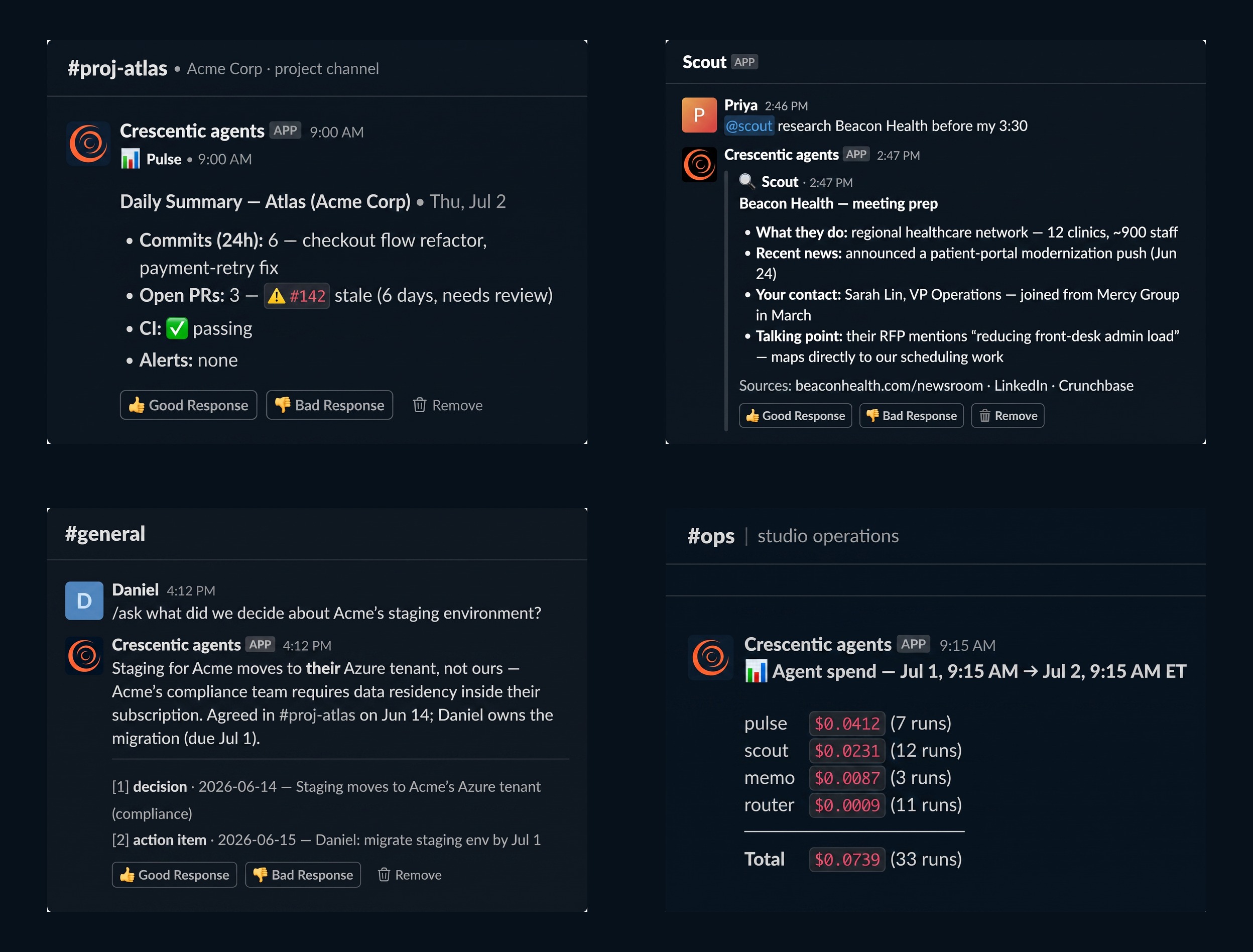
Meet the squad
Three AI teammates live in our Slack now, each with one job.
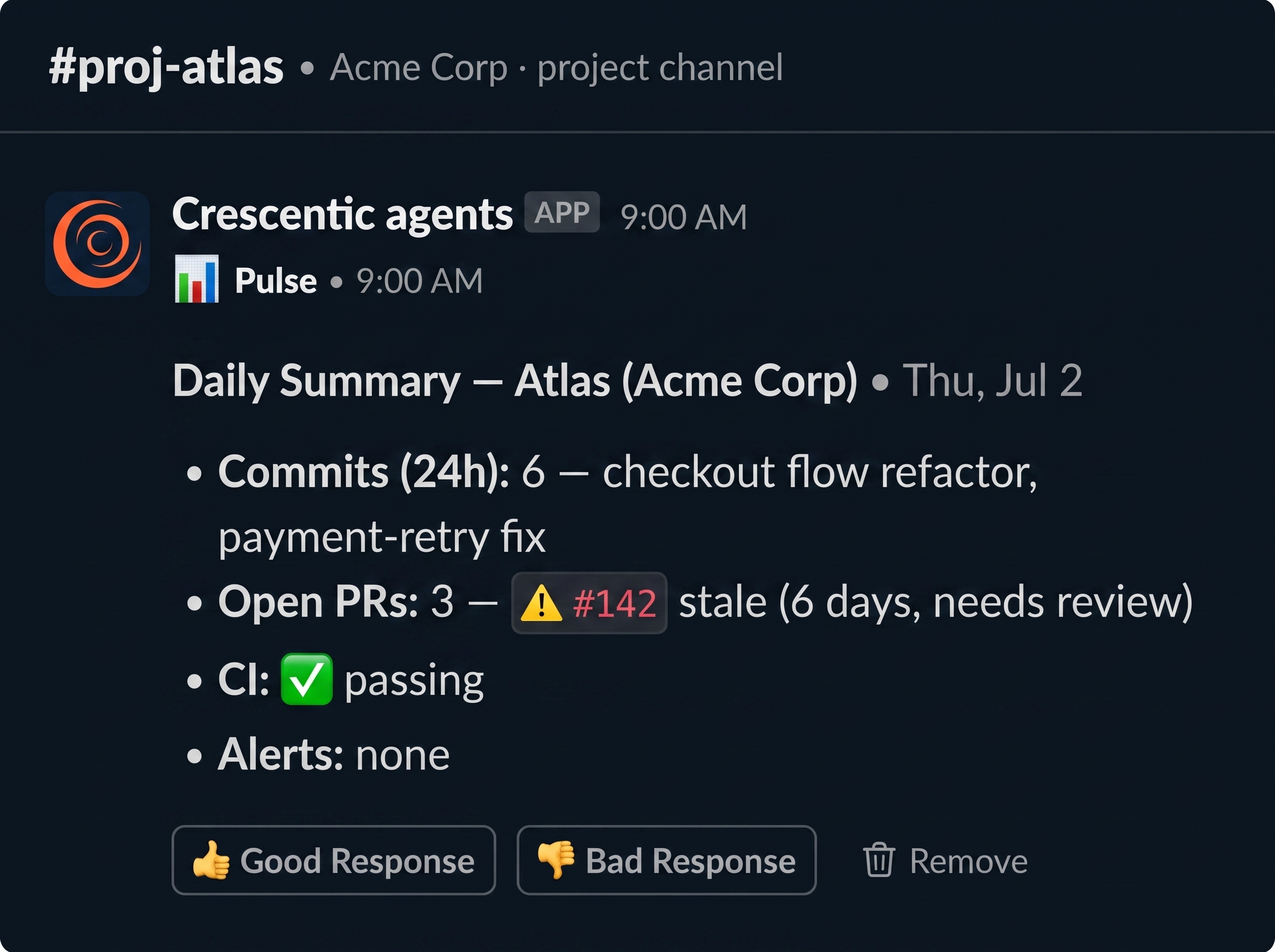
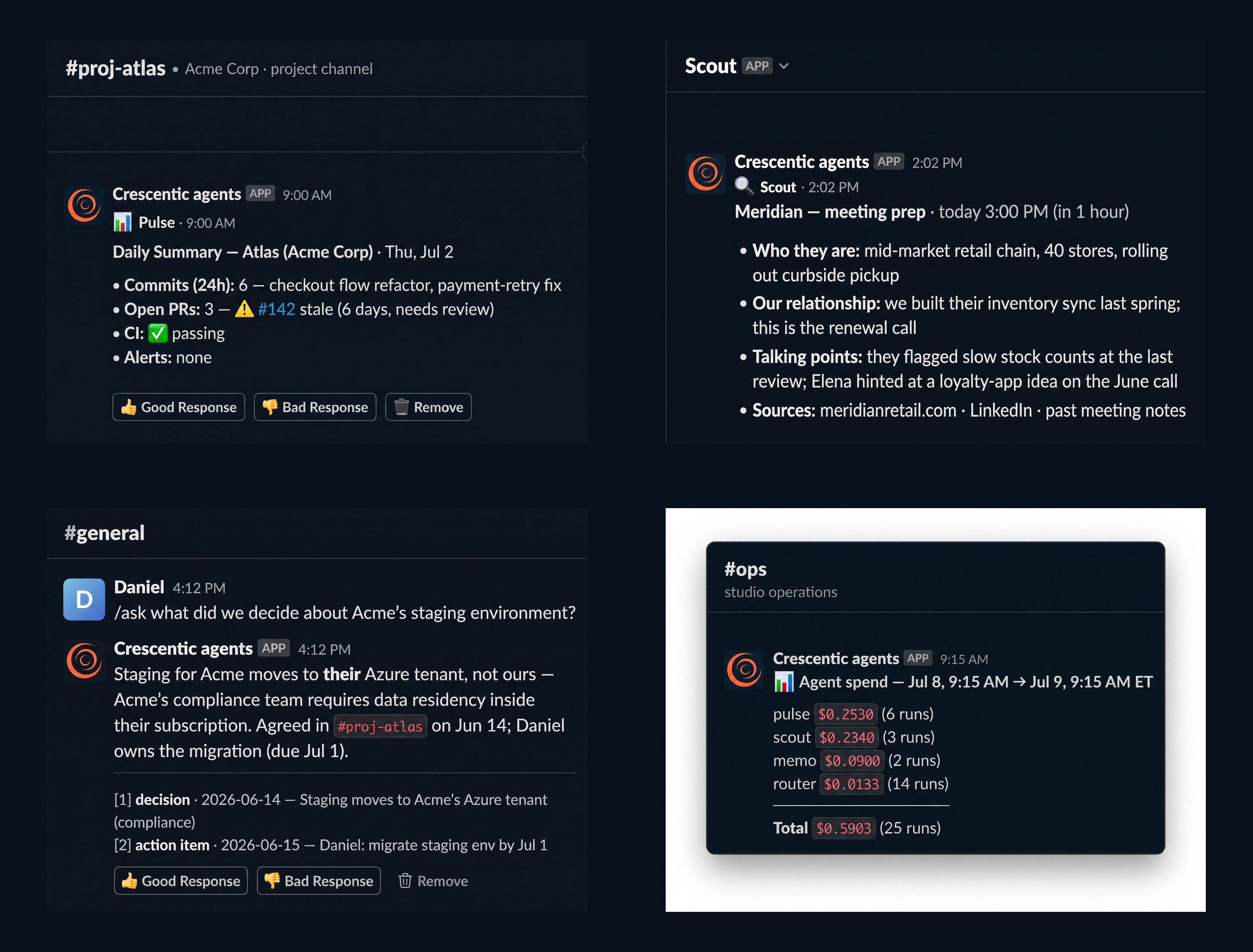
Pulse watches the projects. Every code change, every build, every quiet week, summarized each morning before anyone logs on. Friday afternoons it posts the week in review. I never ask it to. It just shows up.
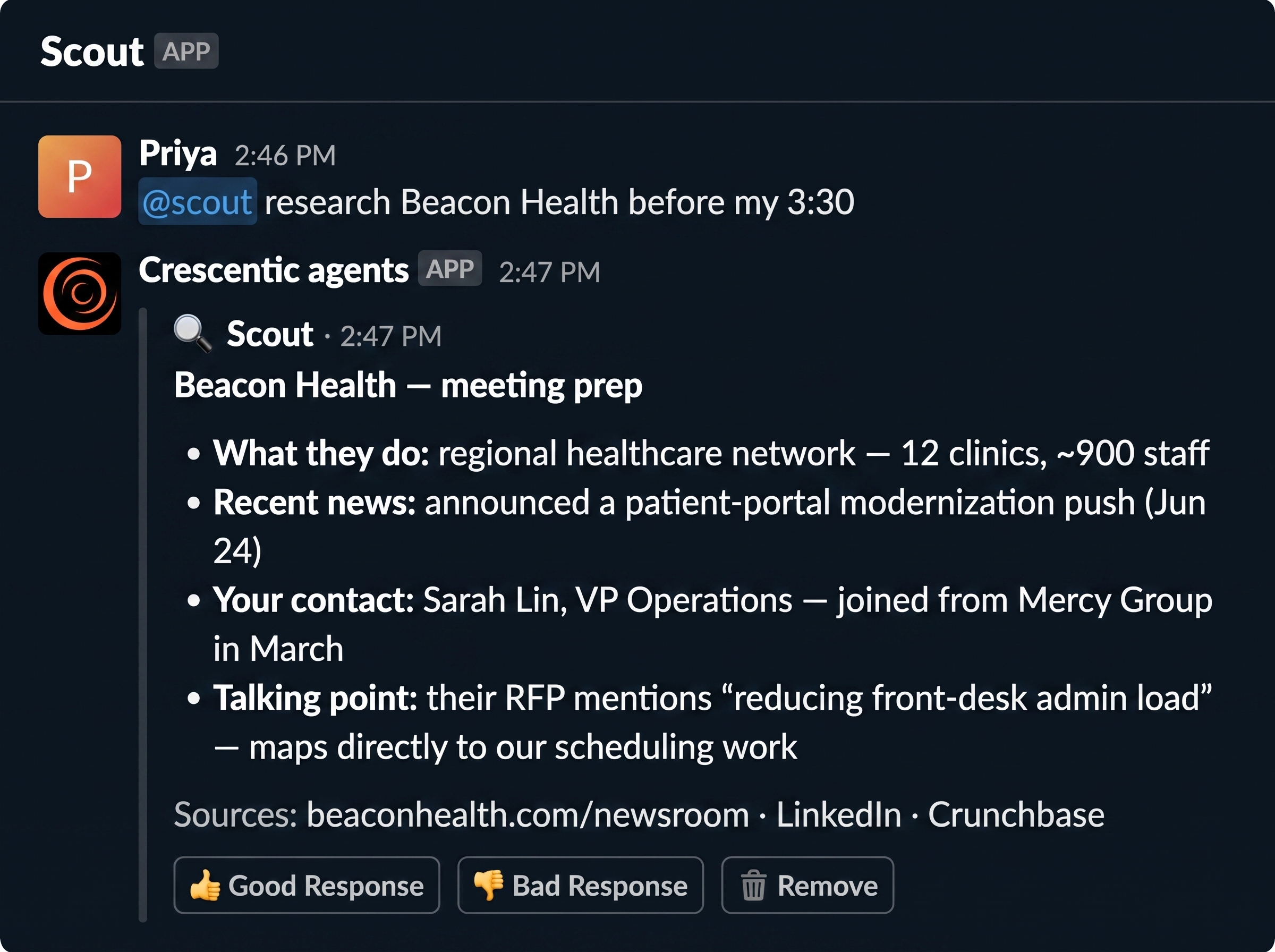
Scout does the client prep I always meant to do and never did. It watches our calendars, and shortly before a call a briefing lands in my DMs: who I'm meeting, what changed since last time, what to know walking in.
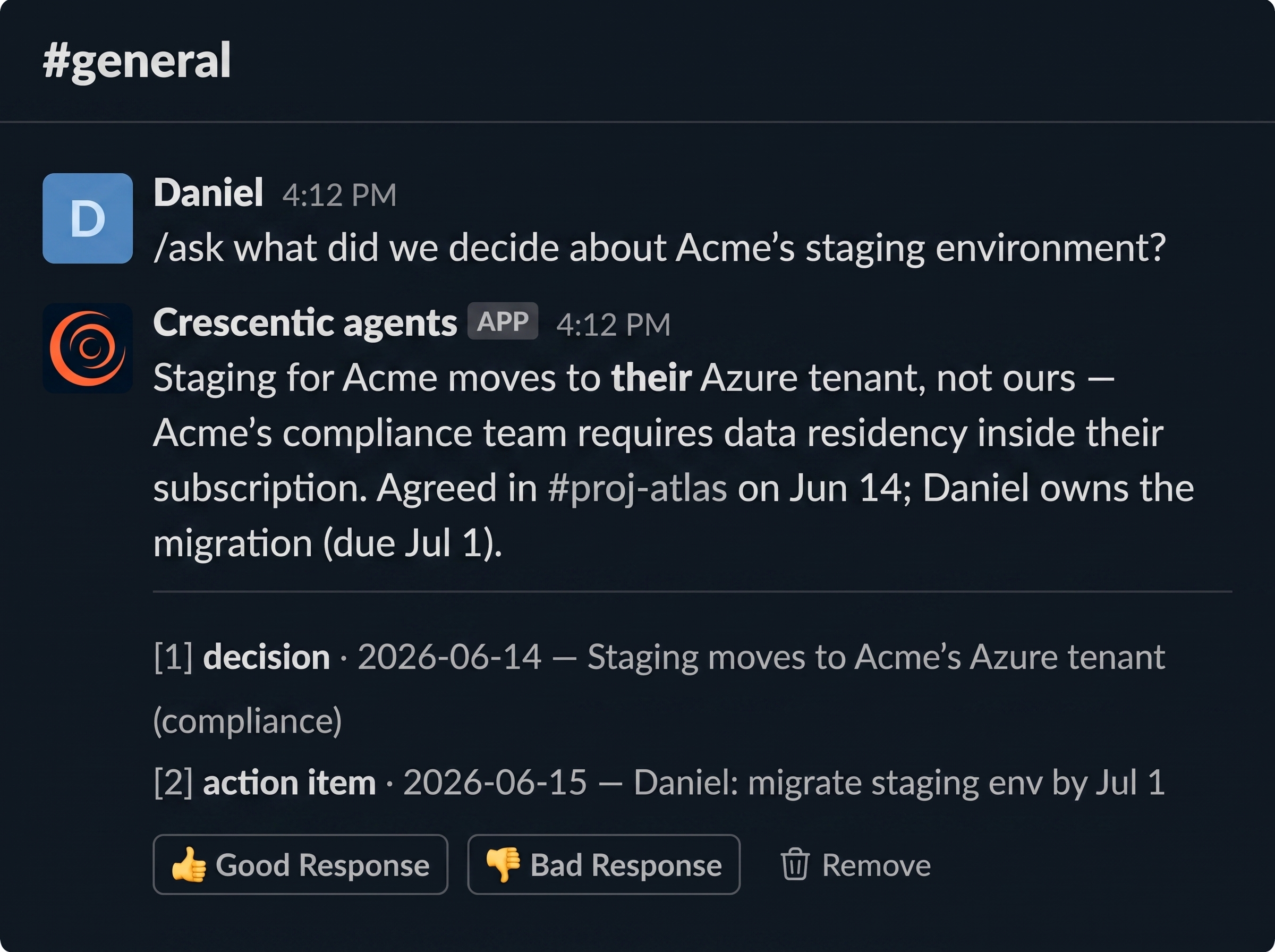
Memo remembers, so I don't have to. Every decision and every action item, captured with who decided it, when, and where, and searchable in plain English. That vendor question I lost twenty minutes to? Memo would have answered it in one.
They're not chatbots
A chatbot waits for you to ask. These do the work on a schedule, without being asked. The morning summary isn't a reply to a question. It arrives because it's morning. The meeting briefing arrives because the calendar says a meeting is coming, not because someone remembered to prep for it.
That gap, between answering when asked and acting on its own, is the whole thing. You already know what it's like to ask an AI a question. It's a different feeling to have one show up with the answer first.
And because the three of them share one memory, they compound. The decision Memo filed in March becomes the context Scout uses to brief me in June. Pulse's summaries feed the same knowledge base the team searches with /ask. Three teammates, one brain.
What all of this costs is its own post. Every action any of them takes is metered to the microdollar, and the whole accounting — what a morning summary costs, what a client briefing costs, what the always-on half costs, which is nothing — is in what it actually costs to run an AI workforce.
It's all one thing
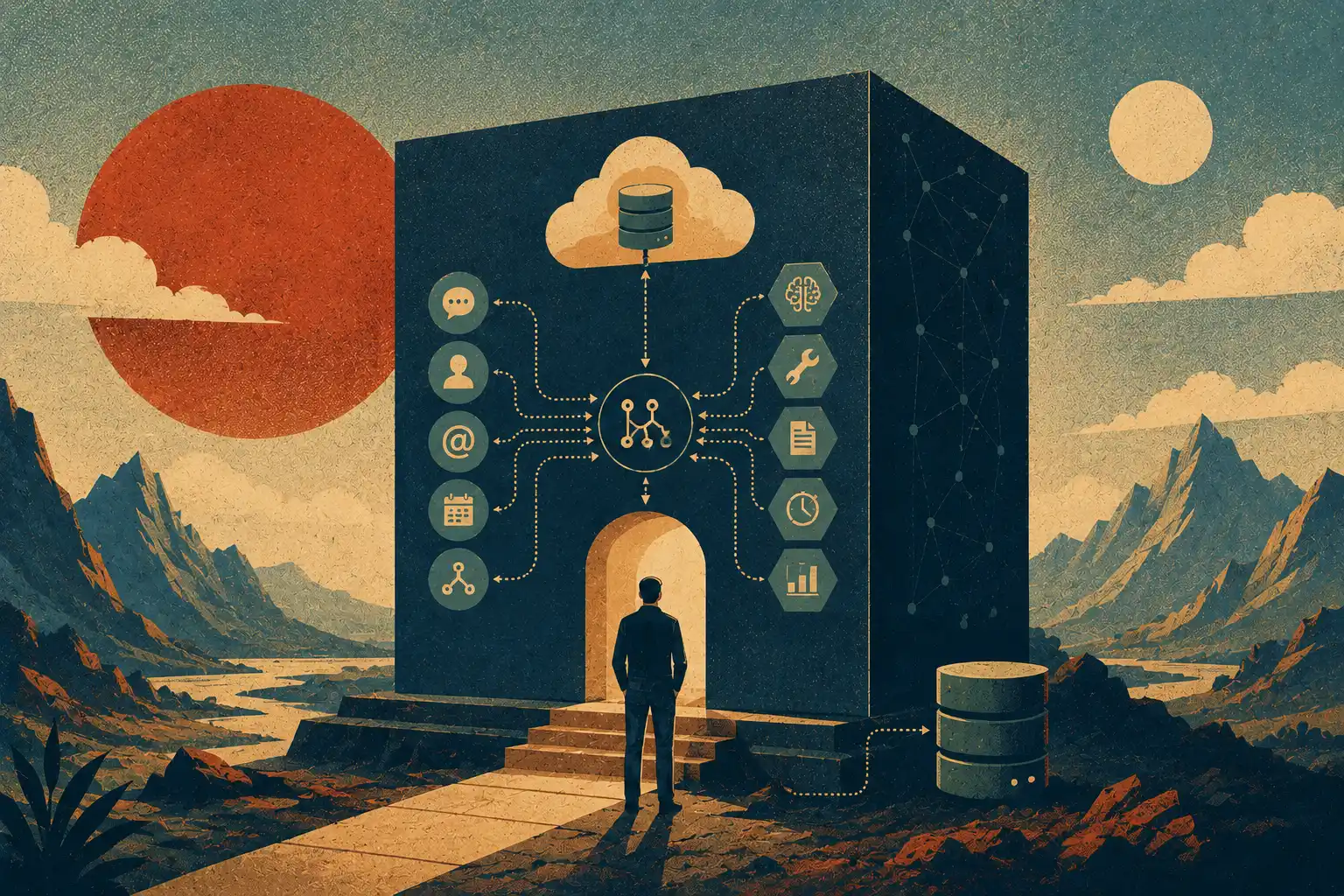
The four teammates feel like four hires. They are one small program. One file is the front door for everything: a message in Slack, a scheduled morning, a code push from GitHub, a reminder that a meeting is close. All of it arrives at the same place and leaves from the same place. There is no fleet of services to keep in sync, no separate app per agent. When I deploy, I deploy the studio, all of it, in a single step.
That sounds like a technical detail. It is really the whole reason this was tractable for a small team. A system you can hold in your head is a system you can fix on a Tuesday afternoon. A sprawl of moving parts is a system you file tickets against and wait.
Everything becomes the same kind of event
Here is the trick that makes one small thing able to wear four hats.
Before anything decides what to do, every incoming signal gets translated into one common shape. A Slack DM, the 9 AM alarm that triggers the morning report, a GitHub push, a calendar nudge, they all get turned into the same kind of internal note that says, roughly, here is who it is from, here is what happened, here is what it is about. Only after that translation does anything start reasoning about it.
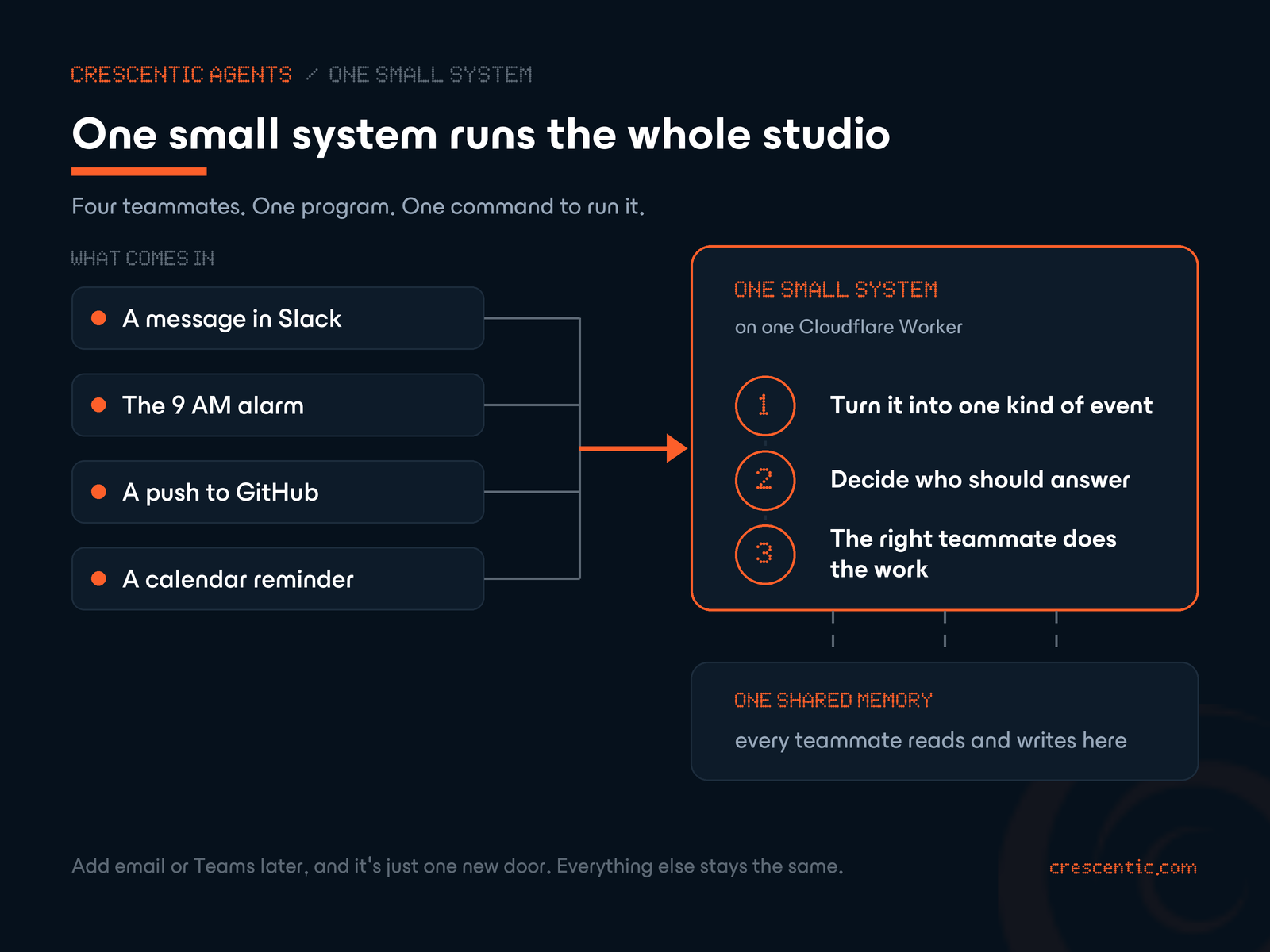
The payoff is quiet but large. Slack is where the team lives today, but nothing important is welded to Slack. The day we add email, or Teams, or a page on our own site, we teach the system one new way to translate an incoming message into that common shape. Everything downstream, who answers, how they answer, what they remember, stays exactly as it is. We would not be rebuilding the team. We would be adding a door.
A cheap traffic cop, then the right specialist
Once a message has been translated like that, something has to decide who should handle it. That job goes to the cheapest, fastest brain in the building.
Most of the time it costs nothing at all, because the answer is already obvious. The morning report is Pulse's, always. A /scout command is Scout's by definition. Only a plain, unlabeled message, someone typing a question into Slack, needs a genuine judgment call, and for that we spend a fraction of a cent on a small model whose only job is to read the room and point. Pulse, Scout, or Memo. Or, if it is just a hello, nobody. The expensive model, the one that does the actual work, never wakes up until the cheap one has decided it should.
If you read the cost post, this is the other side of that coin. The tenth-of-a-cent routing step I mentioned there is this traffic cop. It is not an optimization we bolted on later. It is how the thing is shaped.
One shared brain
The last piece is the one that makes them a team instead of three apps that happen to share a Slack.
They read and write one memory. When Memo files a decision in March, that is not filed in Memo. It is filed in the one place all of them can see. So when Scout preps a client call in June, the reason we picked that vendor back in the spring is just there, in the context it draws on, without anyone re-typing it. Pulse's summaries feed the same well that the team searches with a plain-English question. Three teammates, one brain. I said that in the very first post, and it is still the sentence I would keep if I could keep only one.
Where it gets thin
Let me be straight about the seams, because a build log that only shows the wins is just an ad with better production values. These agents are good at the repetitive, well-shaped jobs: summarize this, research that, file that decision. They aren't running the studio while I sleep. When a task is ambiguous, Pulse will cheerfully summarize the wrong thing with total confidence, and I have to catch it. I steer more than the tidy version of this story suggests. The reliability we do have came from deliberate, boring engineering, not from the model being magic, and a whole later post goes straight at that, because it's the part that decides whether this is useful or a toy.
Why we built it instead of buying one
So, the question. There are shelves full of AI tools now, and kits for wiring agents together without writing much yourself. We looked. We built anyway. Here is the honest version of why, including the part that argues against us.
Start with what "built it ourselves" actually means, because it is narrower than it sounds. We did not write our own artificial intelligence. We rent that, the way everyone sane does: the models come from Anthropic, and a well-worn library handles the back-and-forth of calling them and running their tools. Another library handles Slack. Another handles the database. What we did not reach for is the layer above all that, the agent "framework" that wants to own how your system thinks: how it routes, what it remembers, how the pieces talk. That layer is exactly the part we wanted to be able to read line by line.
And it is genuinely small. The part that does the real deciding, turn a message into a task, pick who answers, let them work, is a few hundred lines. That is not a boast about cleverness. Most of the rest of the code is unglamorous plumbing for talking to Slack and to a database, and there is a lot more of that than there is of the interesting part. But the interesting part, the part I have to reason about when something goes wrong, stays small enough to fit in one head. That was the whole design goal.
The deeper reason is control. Every hard problem in this series, keeping the cost down, keeping it from leaking or going rogue, making sure the right teammate answers, was solvable because we owned the part where the decision happens. You cannot tune, or trust, or debug a decision that is made three layers inside somebody else's abstraction. When the loop is yours, a mystery is an afternoon. When it is rented, a mystery is a support ticket and a shrug.
When you should just buy it
Now the part a build log owes you, because "we built our own" is the kind of sentence that flatters the person saying it.
Building your own is not free, and it is not always the right call. It cost real engineering time up front that a kit would have handed us on day one. If you are prototyping, or you are a solo founder, or what you need is a perfectly standard chatbot that a hundred other companies also need, an off-the-shelf tool is almost certainly the smarter move, and I would tell you so. The whole case for building rests on one condition: that the work you are automating is specific enough to you that a generic tool would flatten it. Operations usually are that. A marketing summarizer usually is not. Know which one you are looking at before you spend a month.
And "small" has an asterisk. The part that matters is small. The whole repository is not tiny, because talking to the outside world is verbose and unglamorous and there is no way around writing it. I would rather tell you that than let "one small system" imply something cleaner than the truth.
The same shape, in any business
Strip the word "studio" off everything above and what is left is a shape, not a software thing. Signals come in from wherever your work already happens. One cheap step sorts them. The right specialist handles each one. And all of them draw on a single shared memory, so the business stops forgetting things.
- A clinic runs that shape when the morning's schedule, the gaps, and the prior-auths to chase are waiting before the front desk sits down, and when nothing a patient told you last visit gets lost before this one.
- A logistics team runs it when a driver is briefed on the route, the customer, and the dock quirks before dispatch, off the same calendar that already exists.
- A law firm runs it when no client decision and no filing deadline ever falls out of someone's memory, with the source attached.
Same four moves. Translate, sort, handle, remember. The difference is that it would be shaped around your operations, your naming, your definition of urgent, rather than the average of everyone's. That is the one thing an off-the-shelf tool structurally cannot be, and the one thing operations most needs it to be.
What we do, and how one of these starts
This is the part of the studio we are quietest about, so I will just say it plainly here at the end. Building small systems like this one, shaped to how a specific business actually runs, is the work we do at Crescentic. It is not a product you can buy a seat in. It starts the other way around, by sitting with how your operations actually work, finding the handful of moves that eat your team's week, and building something deliberately small around exactly those.
That is the whole series. Six posts, one small system, taken apart and put back together in the open. If you have read this far and somewhere in it you saw your own business, the morning nobody owns, the decisions that evaporate, the prep that never happens, that was not an accident. That was the reason I wrote any of it down.
We're building this in the open. Follow along for the next three teammates, and if you're already picturing it in your own shop, say hi. Get in touch
Technical readers, there are two companions to this one: a map of the whole runtime, and the one-Worker architecture and what we used instead of a framework. The three teammates have their own post.